

HP ProBook and EliteBook Replacement Parts in Pakistan: A Buyer's Guide
Looking for HP ProBook and EliteBook replacement parts in Pakistan? Explore laptop batteries, chargers, keyboards, motherboards and more at QAAM.PK.
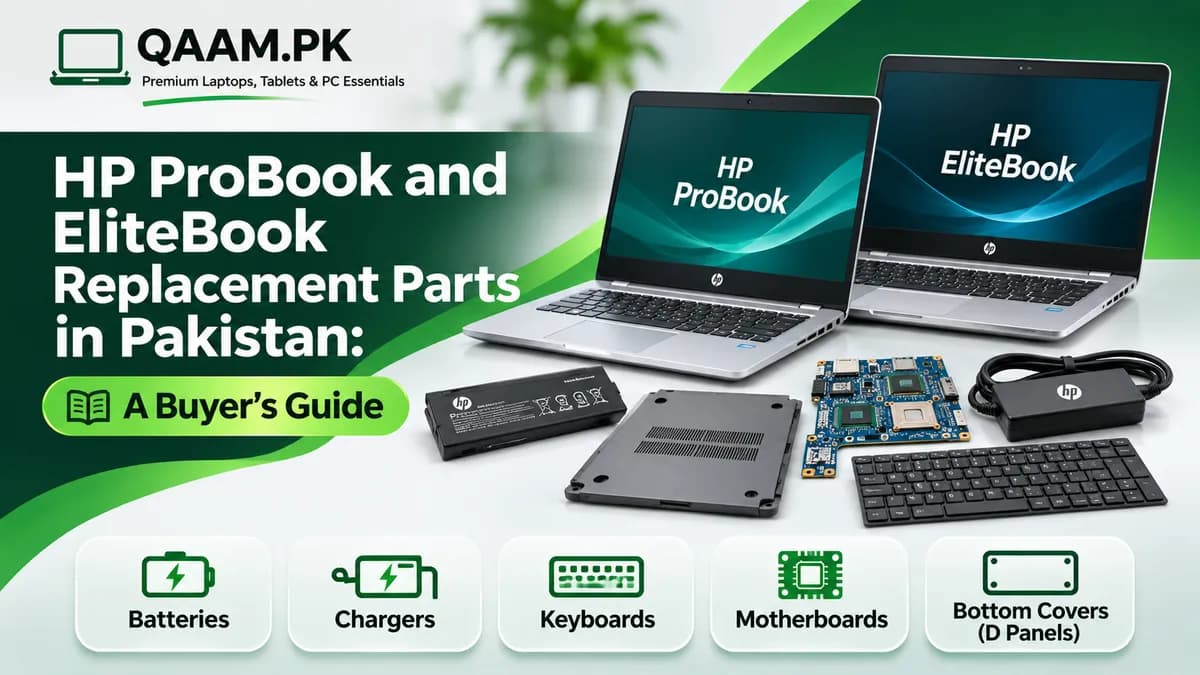
HP ProBook and EliteBook laptops are popular choices among business professionals, students, freelancers, and office employees in Pakistan. These business-oriented laptops are designed for everyday productivity, but like any electronic device, their components can become damaged or worn out over time.
Whether you are dealing with a cracked laptop bottom cover, a faulty charger, a weak battery, or a damaged motherboard, finding compatible replacement parts is essential for keeping your laptop functional.
If you own an HP ProBook in Pakistan or an EliteBook in Pakistan, finding the right replacement components can be challenging because different models often require different parts.
In this guide, we will explore common HP laptop replacement parts, explain how to check compatibility, and discuss how online platforms like QAAM.PK can help buyers explore available laptop parts in Pakistan.
Why HP ProBook and EliteBook Replacement Parts Matter
HP ProBook and EliteBook laptops are widely used for professional productivity, including office applications, business communication, accounting, research, and remote work.
Over time, regular use can lead to hardware problems such as:
Reduced battery performance
Damaged charging connectors
Cracked laptop covers
Faulty keyboards or touchpads
Display problems
Storage failures
Motherboard-related issues
Replacing a damaged component may be more economical than purchasing an entirely new laptop, depending on the device's age, condition, and repair cost.
For users searching for replacement components for an HP ProBook in Pakistan or an EliteBook in Pakistan, identifying the exact laptop model is the first step toward finding a suitable replacement.
Common HP ProBook and EliteBook Replacement Parts
Different components serve different purposes, and choosing the correct replacement is important for compatibility and performance.
HP Laptop Batteries
Laptop batteries naturally lose capacity with repeated charging and usage.
If your HP ProBook or EliteBook shuts down unexpectedly, provides limited battery backup, or struggles to hold a charge, the battery may require inspection.
Common signs of battery problems include:
Rapid battery discharge
Unexpected shutdowns
Charging difficulties
Reduced battery runtime
Battery health warnings
When purchasing an HP laptop battery, verify the battery part number, connector, voltage, physical dimensions, and compatibility with the exact laptop model.
A swollen battery should not be charged or used. It should be handled by a qualified technician.
HP Laptop Chargers and Power Adapters
A laptop charger is essential for reliable daily use.
However, HP laptops may use different charging connectors and power requirements depending on the model.
When searching for an HP laptop charger, consider:
Laptop model and product number
Required charger wattage
Output voltage
Connector type and size
USB-C charging compatibility, where supported
Adapter quality and safety certifications
Using an incompatible or poorly manufactured charger can cause charging problems and may damage the device.
HP Laptop Bottom Covers and D Panels
The bottom cover, commonly called the D panel, protects internal laptop components and forms part of the laptop's outer chassis.
Over time, the bottom cover may become cracked, scratched, or damaged due to impact, pressure, or repeated disassembly.
Buyers looking for laptop parts in Pakistan, including HP bottom covers and D panels, should verify the exact model and replacement part number.
Even laptops from the same HP ProBook or EliteBook family may use different chassis designs.
A correctly matched D panel helps maintain proper component protection, ventilation openings, and screw alignment.
HP Laptop Keyboards
Keyboards can develop problems after prolonged use, liquid exposure, or physical damage.
Common issues include unresponsive keys, missing keycaps, and inconsistent typing.
When purchasing an HP ProBook keyboard replacement, check the laptop model, keyboard layout, backlight compatibility, and whether the keyboard is integrated into the palm-rest assembly.
HP Laptop Motherboards
The motherboard connects essential laptop components, including the processor, memory, storage, and peripheral connections.
Motherboard problems may cause startup failures, charging issues, or other hardware malfunctions.
However, these symptoms can also result from less expensive component failures.
Before purchasing an HP laptop motherboard, have the device diagnosed by a qualified technician.
Motherboard replacements require careful compatibility checks involving the exact board part number, processor configuration, cooling assembly, firmware, and connectors.
HP ProBook vs EliteBook: Are Their Parts Interchangeable?
HP ProBook and EliteBook laptops belong to different business-oriented product families.
Although some models may share certain components, buyers should never assume that parts are interchangeable.
For example, two HP laptops with similar screen sizes may use different batteries, charging connectors, hinges, or bottom covers.
Even different generations within the same product family may require unique replacement components.
Before purchasing, verify:
The complete laptop model number
The HP product number
The original component's spare-part number
Physical dimensions and connector placement
Compatibility with the specific laptop generation
This is particularly important when purchasing replacement components for an EliteBook in Pakistan, where compatibility can vary between models and generations.
How to Find the Correct HP Laptop Model Number
One of the most common mistakes buyers make is searching for replacement parts using only the laptop brand.
For example, searching for an HP EliteBook battery without specifying the exact model may produce several incompatible options.
You can identify your laptop using the following methods.
Check the Laptop Label
Many HP laptops include a product label on the bottom of the device.
This label may display the model name, product number, and serial number.
Check System Information
On a Windows laptop, open System Information to view the system model.
The information may help identify the laptop family and configuration.
Check the Original Component
Where safely accessible, the original battery, charger, or chassis component may include a manufacturer part number.
For internal components, a qualified technician can help identify the correct replacement.
Compare Product Specifications
Before ordering, compare the replacement part's specifications and images with your existing component.
For parts such as bottom covers, screw placement, port cutouts, ventilation openings, and mounting points should match.
Original vs Compatible HP Laptop Parts
When shopping for replacement components, buyers may encounter original, OEM, compatible, and aftermarket products.
Understanding these terms can help avoid confusion.
Original HP Parts: Components supplied or authorized by HP for specific supported devices.
OEM Parts: Components associated with an original equipment manufacturer, although sellers may use this term inconsistently.
Compatible or Aftermarket Parts: Replacement components produced by third-party manufacturers.
Not all aftermarket components are necessarily poor quality, but their reliability and compatibility can vary.
When comparing laptop parts in Pakistan, prioritize accurate part numbers, suitable specifications, product condition, and clear warranty terms.
Avoid assuming that a product is original simply because its listing uses the word "OEM."
Should You Repair or Replace Your HP Laptop?
Replacing a faulty component can extend the useful life of a laptop, but repair is not always the most economical choice.
For example, replacing a damaged bottom cover or compatible charger may be relatively straightforward.
However, major motherboard repairs can be expensive, particularly for older laptops.
Before deciding, consider:
The laptop's age and overall condition
The cost of replacement parts
Technician and installation charges
Battery and display condition
Operating system compatibility
Expected remaining useful life
If the total repair cost approaches the price of a suitable replacement laptop, upgrading may offer better long-term value.
For many users, comparing repair costs with current laptop prices in Pakistan can help guide the decision.
Where to Explore HP Laptop Replacement Parts in Pakistan
Finding suitable replacement parts requires more than searching for the lowest price.
Buyers should choose parts that match their exact laptop model and hardware requirements.
Online technology platforms can provide a convenient starting point for comparing available components.
QAAM.PK features a Computer & Laptop Parts category where buyers can explore listed replacement components.
For owners of an HP ProBook in Pakistan or an EliteBook in Pakistan, browsing available parts and reviewing model-specific information can help identify potential replacement options.
Before purchasing, confirm the exact part number, compatibility, condition, price, and availability with the seller.
Why Explore QAAM.PK for Laptop Parts?
QAAM.PK is an online destination focused on premium laptops, tablets, and PC essentials in Pakistan.
The website is relevant to buyers researching laptop replacement parts and computing products.
Explore Computer and Laptop Parts
The dedicated Computer & Laptop Parts category provides a starting point for browsing available laptop parts in Pakistan.
Review Model-Specific Product Information
Laptop replacement parts often require precise compatibility.
Checking available product details can help buyers compare replacement components with their existing hardware.
Explore Other Computing Essentials
In addition to replacement parts, QAAM.PK focuses on laptops, tablets, and PC essentials.
This can be useful for buyers deciding whether to repair an existing laptop or explore an alternative device.
Compare Before Purchasing
Before ordering any replacement component, buyers should verify current availability, specifications, condition, and applicable warranty terms.
Common Mistakes to Avoid When Buying HP Laptop Parts
Buying incompatible replacement components can lead to unnecessary expenses and delays.
Avoid these common mistakes:
Ignoring the exact model number: Similar HP laptop names do not guarantee identical hardware.
Purchasing based only on appearance: Two parts may look alike but use different connectors or mounting points.
Choosing the wrong charger: Incorrect power specifications can cause charging problems.
Assuming all batteries are compatible: Battery voltage, connectors, dimensions, and part numbers must match.
Overlooking product condition: Check whether the component is new, used, refurbished, or aftermarket.
Skipping warranty verification: Review warranty and return conditions before ordering.
Attempting complex repairs without experience: Internal battery and motherboard replacements may require professional assistance.
Taking these precautions can help buyers avoid compatibility problems.
Tips for Maintaining Your HP ProBook or EliteBook
Proper maintenance can help reduce hardware problems and extend the useful life of your laptop.
Keep ventilation openings clear to reduce overheating.
Avoid pulling charging cables by the wire or placing unnecessary pressure on charging connectors.
Use a protective laptop bag when traveling.
Keep liquids away from the keyboard and other openings.
Install appropriate operating system and firmware updates from trusted sources.
Regularly back up important files to external storage or a secure cloud service.
If the laptop develops unusual heat, battery swelling, or electrical problems, stop using it and seek professional inspection.
Conclusion
Finding the right replacement components for an HP ProBook in Pakistan or an EliteBook in Pakistan requires careful attention to compatibility, product condition, and technical specifications.
Whether you need a laptop battery, charger, keyboard, motherboard, or bottom cover, identifying the exact model and part number is essential.
Replacing a damaged component can sometimes be more economical than purchasing a new laptop, especially when the remaining hardware is in good condition.
For buyers researching laptop parts in Pakistan, QAAM.PK is worth exploring as an online destination for computing products and replacement components.
Visit the Computer & Laptop Parts category at QAAM.PK to explore available products and compare options for your device.