

What to Check Before Buying a Used Laptop in Pakistan – Complete Checklist
Learn what to check before buying a used laptop in Pakistan. Inspect battery health, display, processor, RAM, SSD, ports, and overall condition before purchasing.
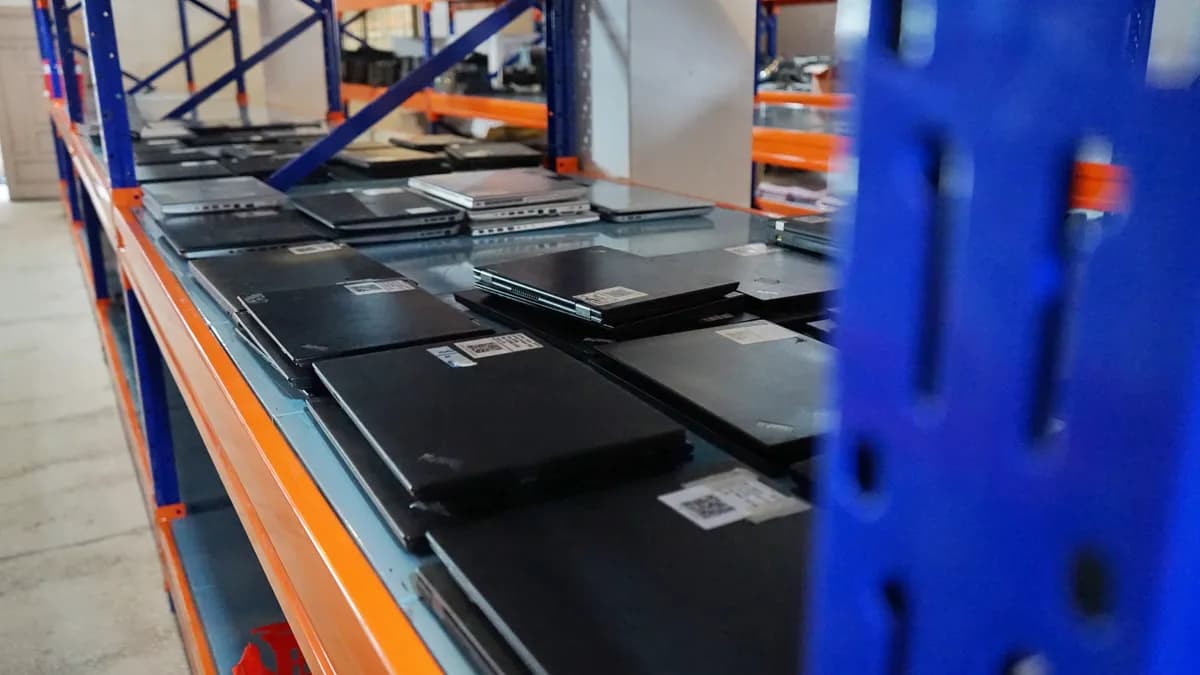
Buying a used laptop can be a smart way to save money, especially when you're looking for reliable performance at an affordable price. However, choosing the wrong device can lead to unexpected repair costs, battery problems, and poor performance.
If you're wondering what to check before buying a used laptop, this guide will help you evaluate its condition, performance, and value before making a purchase in Pakistan.
Check the Laptop's Physical Condition
The first step in any used laptop buying guide is inspecting the laptop's exterior for damage.
Look carefully for:
Cracks, dents, or damage to the body
Loose or damaged hinges
Missing screws or broken panels
Signs of liquid damage or corrosion
Loose charging ports and USB connections
Excessive wear around the keyboard and touchpad
A few minor scratches may be acceptable, but serious physical damage could indicate internal problems.
Pro Tip: Open and close the laptop lid several times. The hinges should move smoothly without unusual resistance or cracking sounds.
Inspect the Display and Screen Quality
The display is one of the most important components to examine when purchasing a second-hand laptop.
Check for:
Dead or stuck pixels
Flickering or unusual screen brightness
Discoloration or uneven lighting
Lines, spots, or screen damage
Problems with brightness adjustment
Open a white background and then a black background to identify visible display issues.
Pro Tip: Test the screen at different brightness levels and viewing angles before purchasing.
Check the Processor and Performance
The processor determines how efficiently a laptop handles everyday computing tasks.
Before purchasing, verify the processor model and generation.
Common options include:
Intel Core i3: Suitable for basic browsing, documents, and everyday tasks
Intel Core i5: A practical choice for office work, education, and general multitasking
Intel Core i7: Often suitable for more demanding workloads, depending on generation and model
AMD Ryzen processors: Available in different performance categories for everyday and demanding applications
Remember that a newer processor generation can sometimes outperform an older processor from a higher product tier.
Pro Tip: In Windows, open Settings → System → About to check the processor and installed RAM.
Verify RAM and Storage
RAM and storage significantly affect everyday laptop performance.
RAM
8GB RAM: Suitable for many basic office, browsing, and study tasks
16GB RAM: Recommended for heavier multitasking and many professional applications
32GB RAM: Useful for selected demanding workloads, development environments, and creative applications
Storage
An SSD generally provides faster startup and application loading than a traditional hard drive.
Before purchasing:
Confirm the advertised storage capacity
Check whether the storage drive is functioning properly
Review SSD health using a compatible diagnostic tool
Verify whether storage or RAM upgrades are supported if you need them
Pro Tip: Don't rely only on advertised specifications. Check the actual hardware installed in the laptop.
Test Battery Health and Charging
Battery condition is especially important when purchasing used laptops in Pakistan.
A laptop may perform well while connected to power but provide limited battery backup.
Check the following:
Battery health and reported capacity
Whether the laptop charges normally
Unexpected shutdowns when unplugged
Battery swelling or physical deformation
Condition of the charger and charging cable
On many Windows laptops, you can generate a battery report by opening Command Prompt and entering:
powercfg /batteryreport
Compare the reported design capacity and full charge capacity to help evaluate battery wear.
Pro Tip: Test the laptop on battery power rather than relying only on the seller's battery-backup estimate.
Test the Keyboard, Touchpad, and Ports
Small hardware problems can affect your daily experience and may require additional repair costs.
Before purchasing, test:
Every keyboard key
Touchpad movement and clicking
USB ports
Audio jack
HDMI or other display outputs, if available
Wi-Fi and Bluetooth connectivity
Speakers, microphone, and webcam
Use compatible accessories to check that the ports work properly.
Pro Tip: Test all available connections instead of assuming they work because the laptop turns on.
Check Laptop Temperature and Cooling
Overheating can affect performance, stability, and long-term reliability.
While testing the laptop, pay attention to:
Excessive fan noise
Unusual heating during light tasks
Unexpected shutdowns
Noticeable performance slowdowns
Blocked or damaged ventilation openings
Some fan noise and heat are normal under demanding workloads, but persistent overheating during basic use deserves further investigation.
Verify the Operating System and Software
Before purchasing a used laptop, check whether the operating system is functioning correctly.
Make sure:
Windows starts normally
The operating system is properly activated, where applicable
Essential hardware drivers are installed
The laptop can receive supported security updates
No unknown account restrictions prevent normal use
The device is not locked to an organization or previous owner
Pro Tip: Ask the seller to confirm that the laptop can be reset and activated for your own use.
Compare Used Laptop Prices in Pakistan
The used laptop price in Pakistan can vary depending on the model, processor generation, RAM, storage, battery condition, and overall hardware quality.
Before making a decision:
Compare prices for the same model and specifications
Consider the laptop's age and condition
Ask about warranty and return policies
Check the availability of replacement parts
Avoid offers that appear unusually cheap without a clear explanation
The cheapest laptop isn't always the best value. A properly tested device with suitable specifications may be a better long-term purchase.
Confirm Warranty and Seller Reliability
Choosing a reliable seller is just as important as selecting the right laptop.
Before purchasing, confirm:
Whether any warranty is provided
What the warranty covers
Whether a return or exchange policy applies
Whether the seller provides a receipt
Whether the laptop's specifications match the listing
Ask questions about the laptop's condition and testing process before completing your purchase.
Complete Used Laptop Buying Checklist
Use this checklist before purchasing your next second-hand laptop:
Inspect the laptop body and hinges
Check the display for dead pixels and damage
Verify the processor model and generation
Confirm installed RAM and storage capacity
Check SSD or hard drive health
Test battery health and charging
Check keyboard and touchpad functionality
Test Wi-Fi, Bluetooth, speakers, and webcam
Verify all available ports
Check temperature and fan operation
Confirm operating system activation and device access
Compare prices with similar laptop models
Review warranty and return conditions
Frequently Asked Questions
Is buying a used laptop worth it in Pakistan?
Yes, a used laptop can offer good value when its hardware condition, specifications, battery health, and price are carefully evaluated.
How much RAM is good for a used laptop?
For many everyday tasks, 8GB RAM is sufficient. However, 16GB is often a better choice for heavier multitasking and professional use.
How can I check a used laptop's battery health?
On compatible Windows laptops, use the powercfg /batteryreport command to review battery capacity information and estimated wear.
Which processor is best for a used laptop?
The best processor depends on your workload and budget. Consider the processor generation and exact model rather than choosing solely by Core i5, Core i7, or Ryzen branding.
What should I check first when buying a second-hand laptop?
Start with the physical condition, display, processor, RAM, storage, and battery health. Then test connectivity, ports, software, and cooling.
Final Thoughts
Buying a used laptop in Pakistan doesn't have to be complicated. By carefully inspecting the hardware, verifying specifications, testing essential features, and comparing prices, you can reduce the risk of purchasing an unreliable device.
Whether you're a student, business professional, or home user, choosing the right laptop starts with understanding your needs and checking the device before purchasing.
Explore laptops, tablets, and computing essentials at QAAM.PK to find options that match your requirements and budget.